
Driver App Dashboard Update: Enhanced Route Preview & UI Improvements
Updated driver app dashboard with organized route modules, enhanced route previews showing progress and stats, loading spinners, and improved chat interface.
The dashboard of the driver app has been slightly updated! Today's Routes are always displayed and Upcoming and Past Routes now have their own collapsible module.
You can preview the route by tapping on the route. This will show the start time, total time, progress, and service totals. It's also where you'll now click to launch the route.
Today's routes will show the start time instead of the date. All past and future routes will show the date (instead of the time).
Quick submit buttons now have a spinner to provide feedback that the app is thinking!
The keyboard no longer blocks the chat window.

Customer-Selected Start Dates & Service Area-Specific Public Shops
stopSuite now lets customers select their own service start dates at signup and enables service area-specific public shops for more targeted product offerings.
Choose Your Own Start Date!
You can now offer your customers the ability to choose their subscription start date when signing up using the main sign up form! This feature can be helpful for customers who want to align service with a move date, end of another service contract, etc.
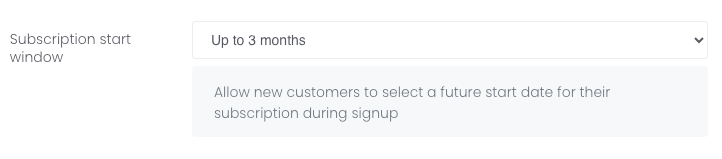
To enable this feature, go to Settings > Registration > General. It's the last field on that page. You can choose from 1 month, 2 months, 3 months, or 4 months:
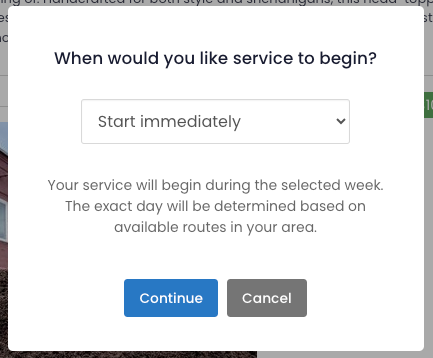
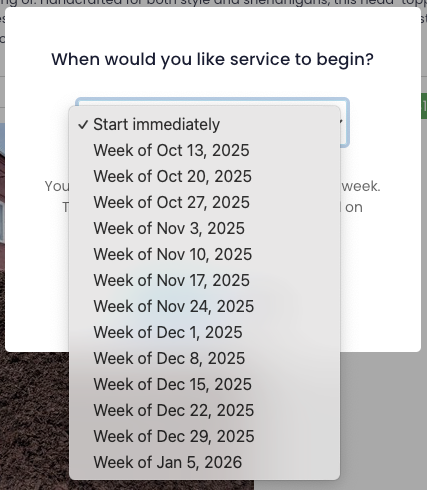
If you enable this feature, the customer will be prompted on the last page of the sign up form (the page before the Stripe checkout page) to select the week they'd like to start service:
On the Stripe checkout page, there will be a new line under the "Pay and start trial" button that lets them know when their service will begin:

The customer will pay for any one-time products (like deposit fees or start-up kits) and add-on products immediately. Their subscription will be charged the week their service begins, or based on your Stripe plan trial settings.
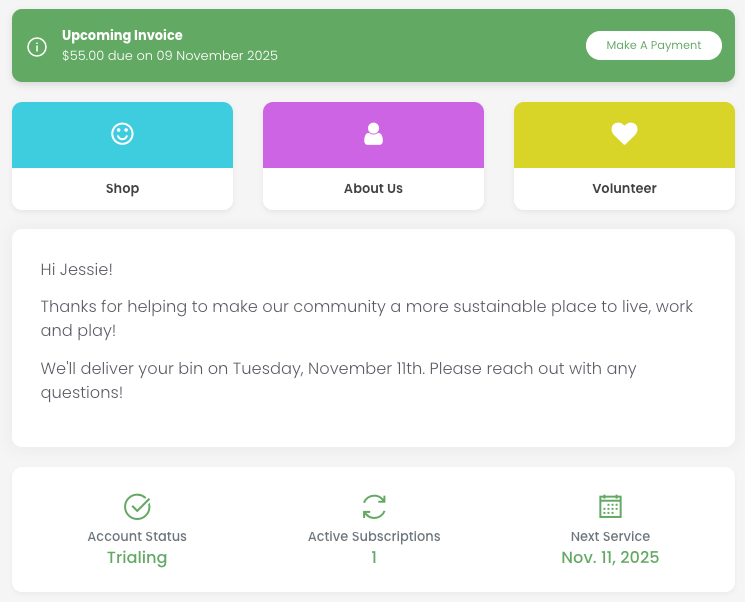
From the customer's perspective, their portal dashboard will show their account as trialing and when their first service will be:
From a stopSuite team user's perspective, the customer will be trialing and their service location will show the status as inactive until...:
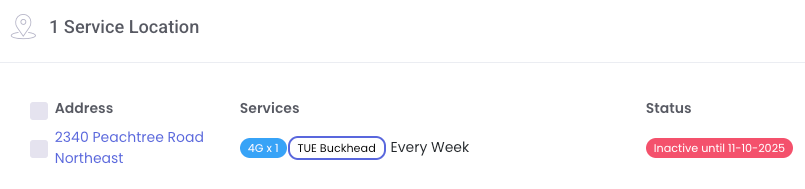
The service location detail page will have a new field "Inactive until" which will automatically populate the week the service is set to begin:
NOTE: If you decide to NOT use this feature, you can still enter a date in this field but it will NOT automatically start a Stripe subscription. You must do that manually in Stripe. This field WILL automatically activate customers with manual billing.
Restrict Public Shops by Service Area
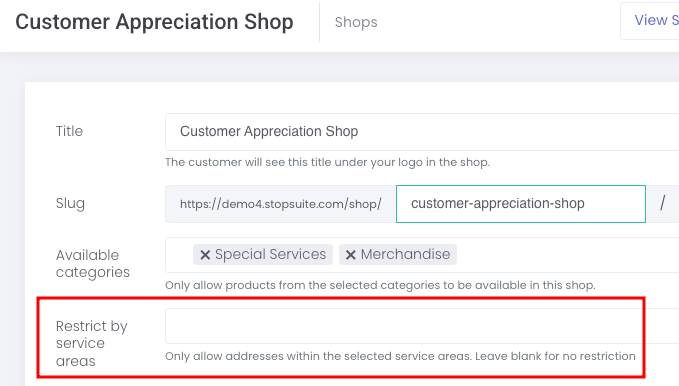
You can now create public shops specific to certain service areas. Go to Shop > Public Shops. When creating or editing a public shop, it will be the fourth field:
Improved SMS Skips, Inventory Management & Service Routing
Manage service schedules more efficiently with stopSuite's latest updates: refined SMS skip policies, inventory return options, and custom routing rules for package services.
SMS Skip Policy Changes
We've updated the SMS skip parameters to reduce confusion and improve service reliability. Customers can no longer reply "skip" to service reminders after midnight. Previously, these late skip requests would automatically apply to the customer's next scheduled service, which often caused confusion.
Customers who text "skip" after midnight on their service day will receive this message: "It's too late to skip today's service. Please contact customer support if you need further assistance."
Customers can still skip services through the customer portal, but skips will only apply to future service dates—not same-day service.
Return Item Stock to Inventory
When canceling an order item (Shop > Order Items), you are now presented with the option to return that item to inventory:

Package Services Overrides
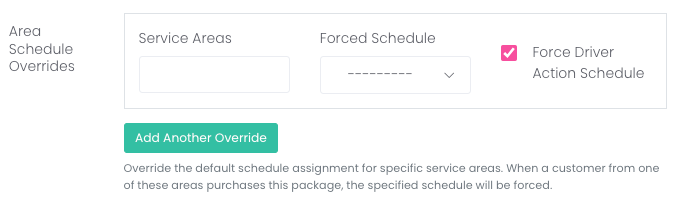
You now have the ability to create "routing rules" for package services by overriding a service area's default schedule. This is helpful if you offer a bundled package that includes two or more service types that need to be serviced on different schedules.
Additional Improvements
We have created a list view for all team user created Recent Activity. Go to Customer Support > Customer Events to view all events that have been created by a team user. We hope this helps you view custom events and organize tasks that still require attention.
You can now tag customers from the order items page. This can be helpful for clients who want to communicate with a group of customers based on a product purchased, order status, etc.
Don't forget to create your backup account if you haven't done so already! Scroll down to Backups at the bottom of the side menu to create your account.
Drive More Local Traffic with SEO-Optimized Landing Pages
Launch SEO-optimized landing pages for every service area you cover. Capture local searches, convert more visitors, and rank for city-specific search terms
Service Area Directory
We're excited to announce a new feature that can help drive more organic traffic to your website: a Service Area Directory!
What is it?
An SEO-optimized directory that creates individual landing pages for each geographic area you serve. These pages help your business appear in local search results when potential customers search for services in their neighborhood.
Why does it matter?
Capture Local Searches: Rank for "[your service] + [city name]" searches
Convert More Visitors: Built-in address lookup with Google Places helps visitors instantly see if you serve them
Build Trust: Showcase your coverage areas with customized content for each location
Improve SEO: Search engines love location-specific content with clear site structure
Key Features:
Automatic sitemap generation for search engines
Mobile-responsive design matching your brand colors
Smart address lookup with immediate service area detection
Customizable URL structure (e.g., accounts.yourdomain.com/service-areas/boston/)
Group multiple service areas under single directory entries
Optional signup form call to action
Getting Started is Simple:
Log into your admin dashboard
Navigate to Settings → Service Area Directory
Enable the feature and choose your URL structure
Configure which areas appear in your public directory
NOTE: This feature is completely optional and disabled by default. You can enable or disable it at any time!
Self-Service Off-Site Backup System with Downloadable Route CSVs
Access self-service off-site backups with downloadable route CSVs for disaster recovery. Daily database backups provide geographic redundancy and data security.
Good news! Our new self-service off-site backup system is live and available to all superusers. The link is available in the main menu in your stopSuite environment (superusers only!)
Downloadable Route CSVs
Your routes are available for download from our off-site backups server. Every-time one of your routes is optimized (or preserved and optimized) a backup of that route will be created in the backups system. We also backup the last three days of routes every night so the routes always stay up-to-date with the production server. The goal here is to be able to give your drivers a reasonably accurate spreadsheet in case stopSuite is down for any reason.
About Database Backups
These database backups are automatically created and stored in our off-site data center, providing geographic redundancy for your data.
Disaster Recovery - In the event of a catastrophic failure, these backups will be used to restore your data and resume operations from a new location. The backups are created on a daily, weekly, and monthly schedule and are retained for up to 2 months. Each backup contains all of the data stored in your environment. Media files (stop images, product images, ect.) are also backed up on this server (but not in the databases.)
Not Downloadable - Unlike the route sheets, downloading database backups is not available. The DB backups page is intended to provide transparency and proof of your organization's database backups stored in our backup facilities.