Sign-up Form Filtering, Special Services Management & Enhanced Customer Alerts
Special Services Update
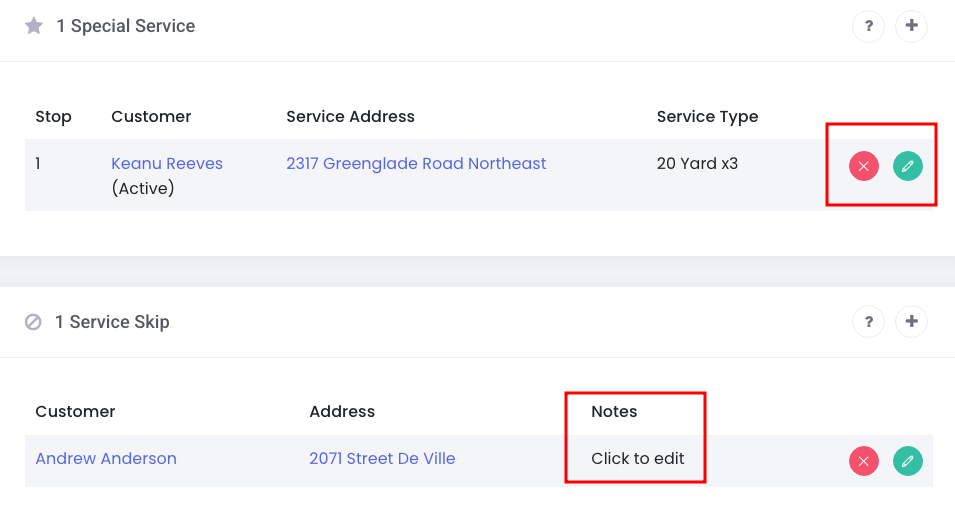
We've added a new list view page for special services (Routes > Special Services). This page will allow you to view all special services that have been created, including historical records. Click the pencil icon next to the special service to view more info.
In addition, we added an edit button next to the special service on the route detail page. We also added a notes field to the service skip:
Sign-up Form Updates
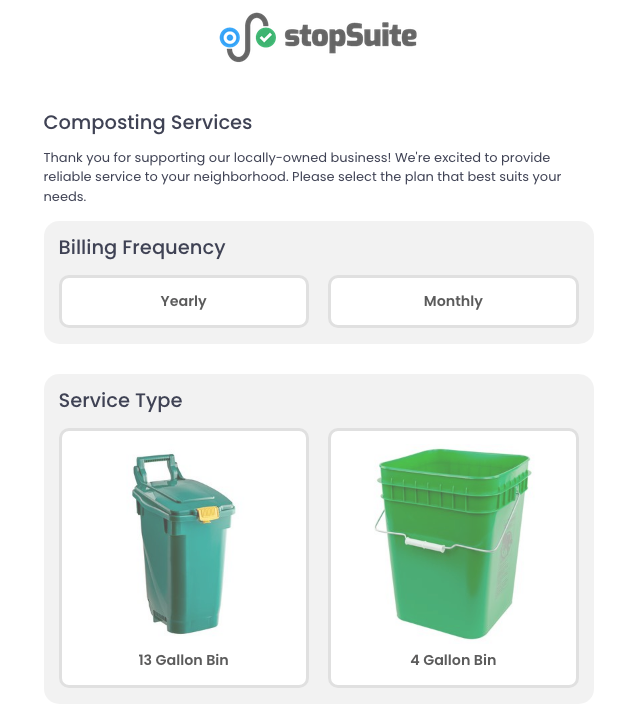
On the main sign-up form if you have plan filters enabled (Settings > Registration > General), after a customer enters their address they will be prompted to select a billing frequency on the first package before viewing available plans. The billing frequency filter will only show on the first package.

In addition, we've added the ability to filter by package service types on the sign-up form too. This is helpful for clients who have one service offering (trash, recycling, compost, etc.) but offer different container sizes. Customers can now filter down the plans based on their preferred bin size. The service type filter is available on all packages with multiple service types.
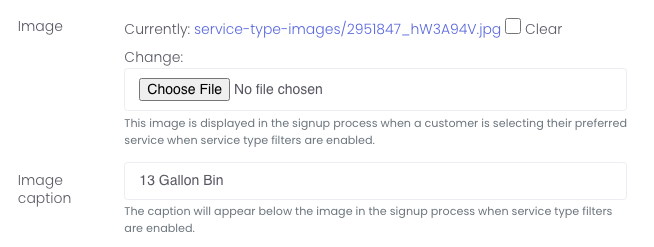
To enable the service type filtering, go to the service type (Services > Service Types) and add an image (if you want) and an image caption. If you don't add an image, only the image caption will be presented:
Next, go to the package group (Services > Package Group) and Enable service type filters:

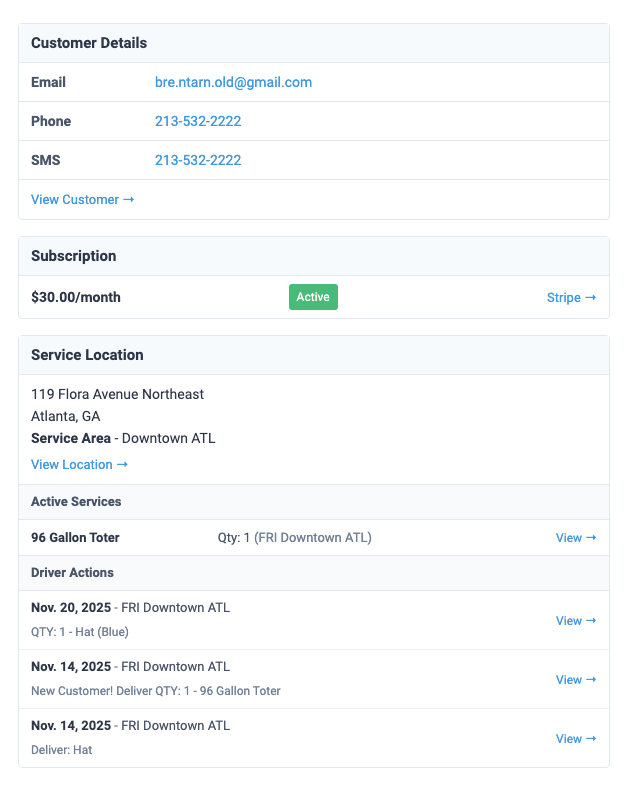
We've added a new setting on the team user level for new customer notifications. Previously, you could opt-in to new customer alerts on the service area level. This alert would send you a copy of the welcome email that the customer receives, which admittedly didn't provide team members a lot of the pertinent info you'd want to see like customer details, subscription, driver actions, etc.
To receive this email, go to Team > Team Users. Expand the Settings and scroll down to Email Notifications - Customer Support and enable the New customer alerts:

The email will include links to the customer, their Stripe account, and more: