
Image Sharing in Customer Chat & Upcoming Routes on Portal Dashboard
Send Images via Customer Chat
If you have SMS mode Chat Enabled set up (Settings > Twilio Integration), you now have the ability to send an image via chat! You'll notice a new + button next to the text field where you can either upload a new image or view recent stop images for quick access:
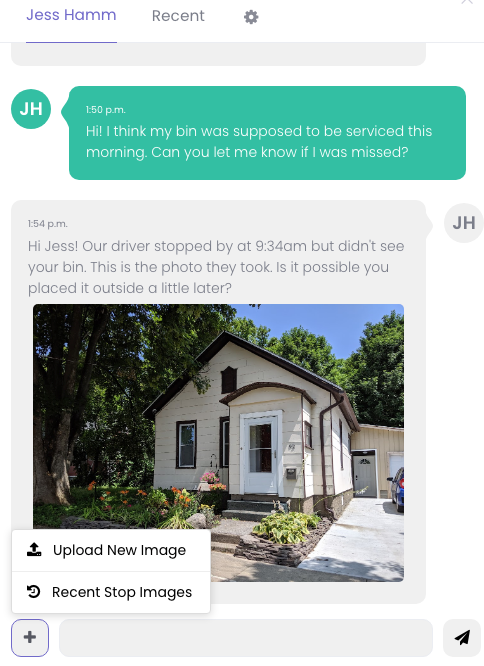
Adding an image to a customer chat is only available when sending an individual text. You cannot upload an image to a mass SMS message.
And important to note, MMS messages cost slightly more to send than an SMS. Here's Twilio's pricing.
Upcoming Routes on Portal Dashboard
We have a new feature that allows you to display upcoming routes on the customer portal dashboard:
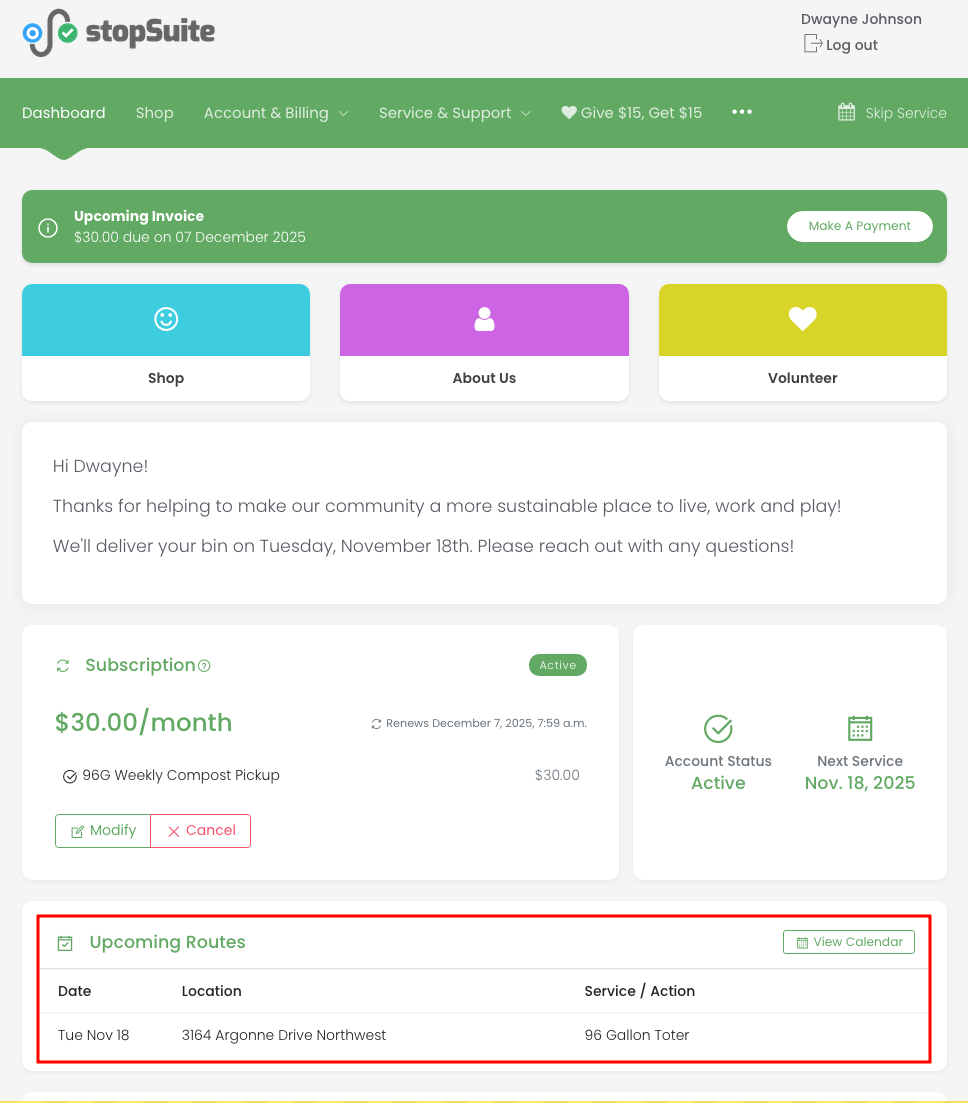
To enable this, go to Settings > Customer Portal > General: Show upcoming routes on portal dashboard.
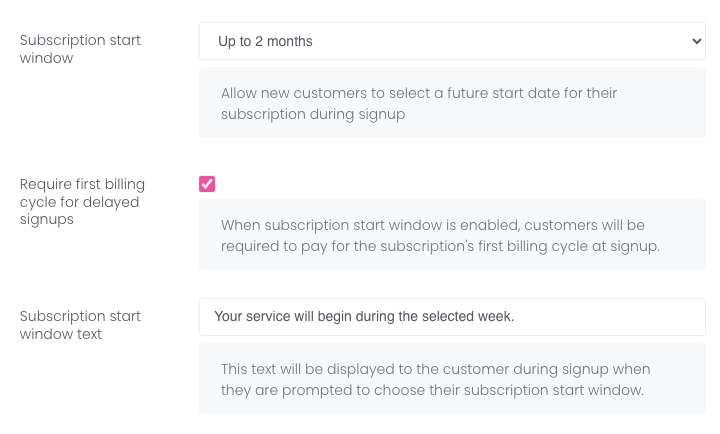
This feature is especially helpful if you've turned on the Subscription start window feature which allows your customers to select a start date in the future. To review those settings, go to Settings > Registration > General:
Additional Improvements
You can add extra service time to a customer's location when they require more time than the standard service type allows. You'd use the base service time for customers with special requirements that take longer to service. For example, a customer whose containers are on the fourth floor and require you to check in with a receptionist first. The base service time is automatically included in your route's total time, giving you a more accurate time estimate. To add a base service time, go to the customer's location change page and scroll down to the Routing/Optimization Settings.
You can add or remove location types in bulk from the Customers > Locations page. As a reminder, location types are a way of categorizing locations (such as school, office building, coffee shop, etc.).